---
title: How to Add an Employee?
description: "Learn how to add an employee in Sequence: enter personal details, contract information, access rights, and seamlessly integrate them into your team within the ERP."
---
[Skip to content](https://university.wearesequence.ai/en/knowledge/how-to-add-an-employee#main-content)
- [English](https://university.wearesequence.ai/en/knowledge/how-to-add-an-employee)
- [Français](https://university.wearesequence.ai/fr/knowledge/comment-ajouter-un-employé)
English
Show submenu for translations

Open main navigation
Close main navigation
- - [English](https://university.wearesequence.ai/en/knowledge/how-to-add-an-employee)
- [Français](https://university.wearesequence.ai/fr/knowledge/comment-ajouter-un-employé)
English
Show submenu for translations
How can we help you?
- There are no suggestions because the search field is empty.
1. [Help Center](http://www.wearesequence.ai/en/knowledge?hsLang=en)
2. [Human Resources](http://www.wearesequence.ai/en/knowledge/human-resources?hsLang=en)
3. [Employees](http://www.wearesequence.ai/en/knowledge/human-resources?hsLang=en#employees)
# How to Add an Employee?
## Left menu \> Human Resources \> Teams
This guide explains how to add a new employee to Sequence ERP. Before creating an employee, it is necessary to create a salary policy.
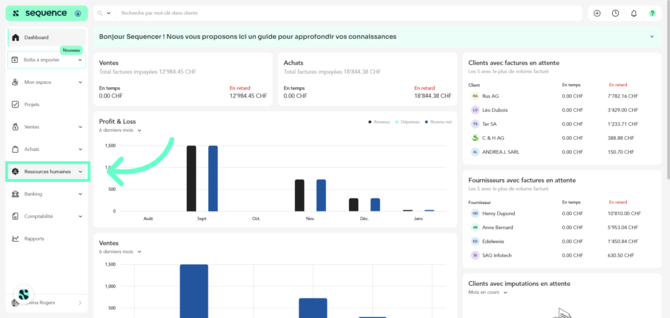
1\. Click **Human Resources** to access the module dedicated to personnel management.
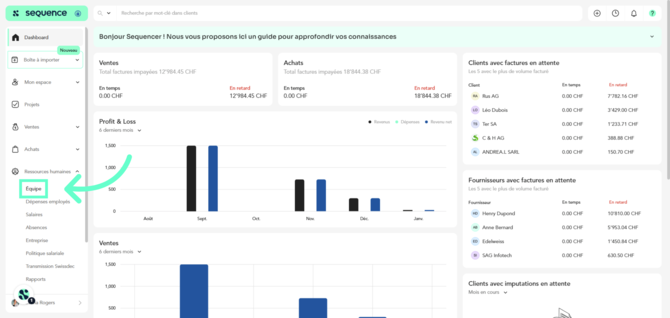
2\. Click **Team** to view and manage the list of employees.
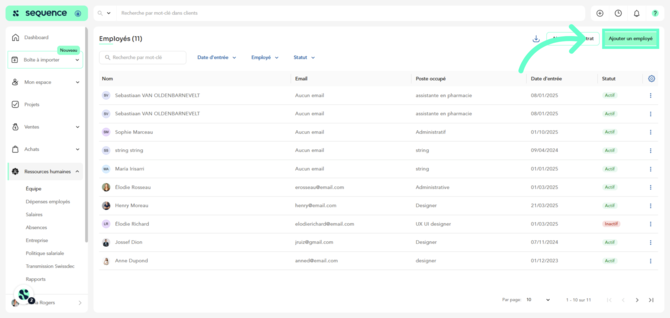
3\. Click **Add an employee** to start creating a new employee profile.
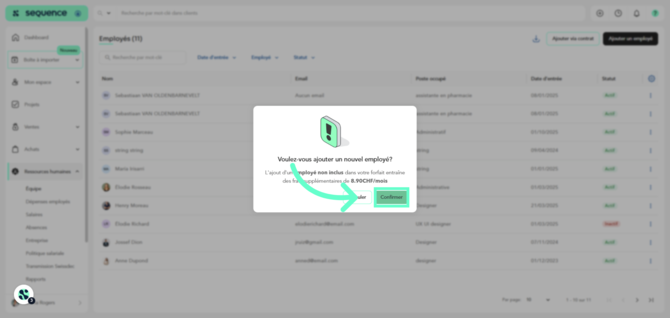
4\. Adding an employee will display an alert in case of additional cost. Click **Confirm** to proceed.
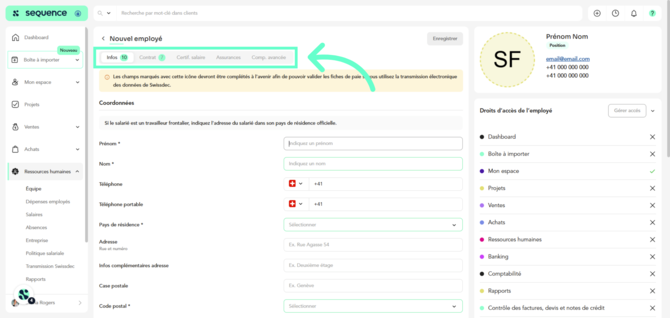
5\. The data required to register an employee is divided into **several tabs**. The green dot indicates **mandatory fields**.
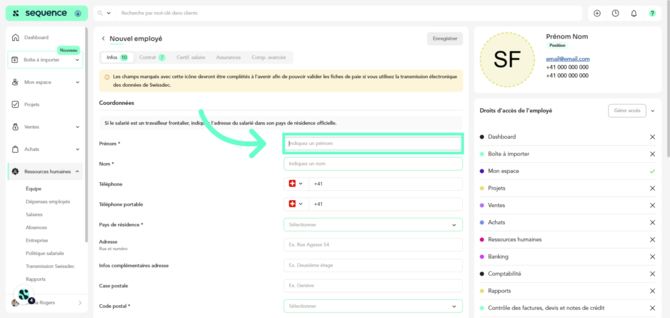
6\. Enter the employee’s first name in the **First name** field.
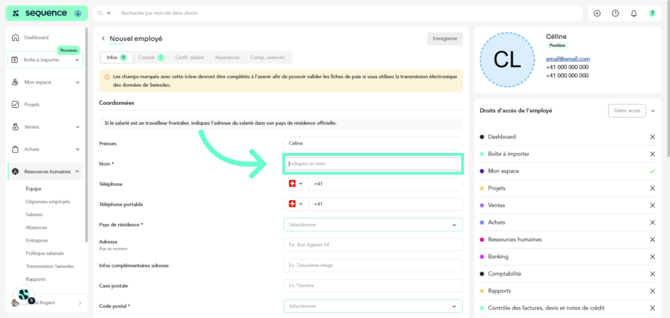
7\. Enter the employee’s last name in the **Last name** field.
****
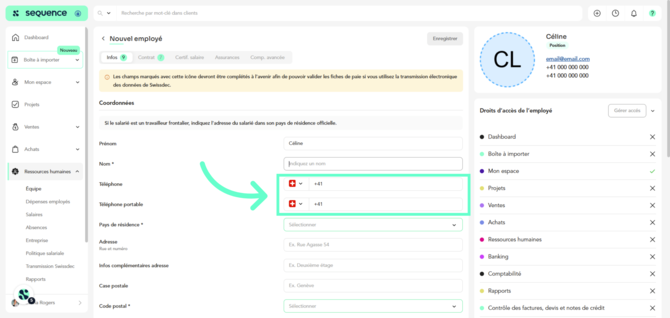
8\. You can also enter the **phone number and mobile phone number**.
9\. Select the **country of residence** from the list.
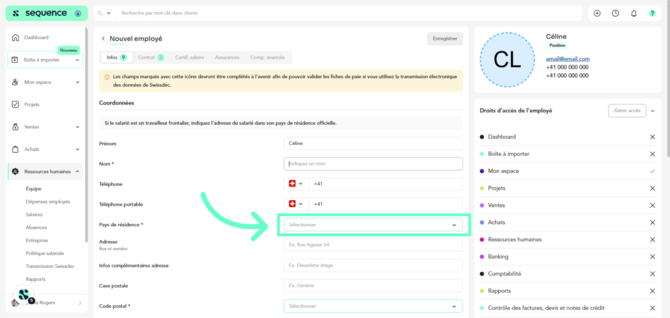
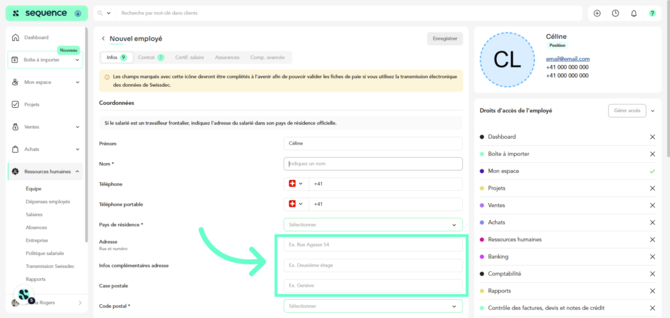
10\. Enter the **street address, additional address information, and P.O. box**.
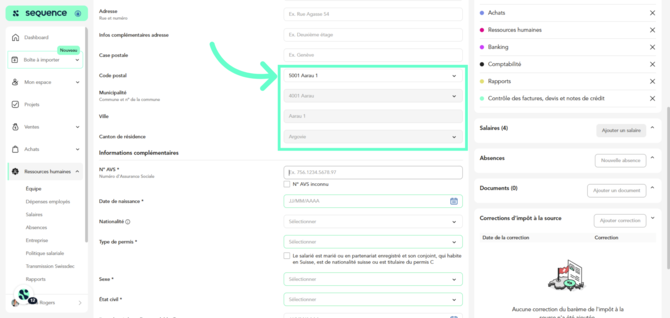
11\. Select the **postal code**. If it is in Switzerland, the municipality, city, and canton fields will be filled in automatically.
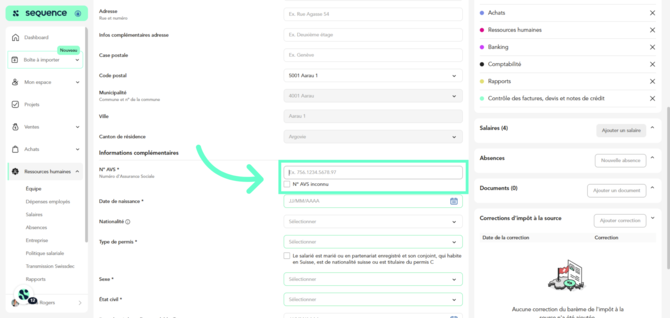
12\. Enter the Social Security Number in the **AVS Number** field. If unknown, check the corresponding box.
13\. Select the date of birth using the **Date of birth** picker.
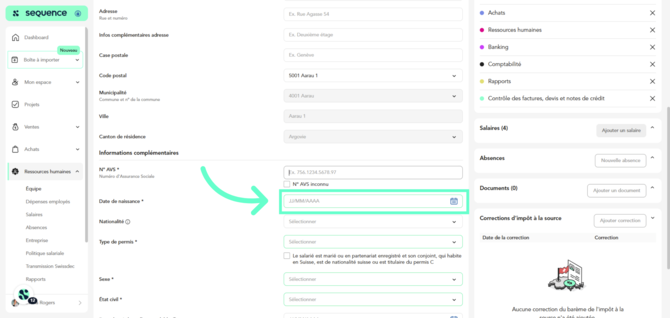
14\. Specify the **nationality**.
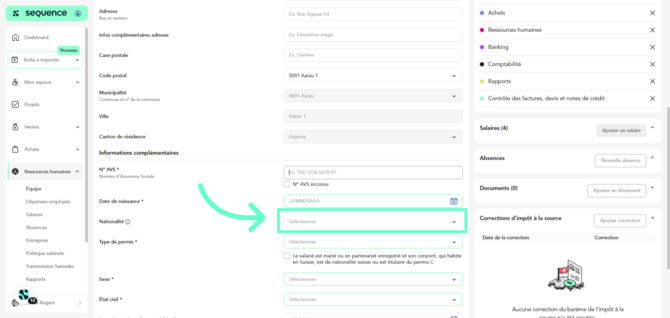
15\. Select the **permit type**.
If applicable, check whether the employee is married or in a registered partnership and whether their spouse, who lives in Switzerland, is of Swiss nationality or holds a C permit.
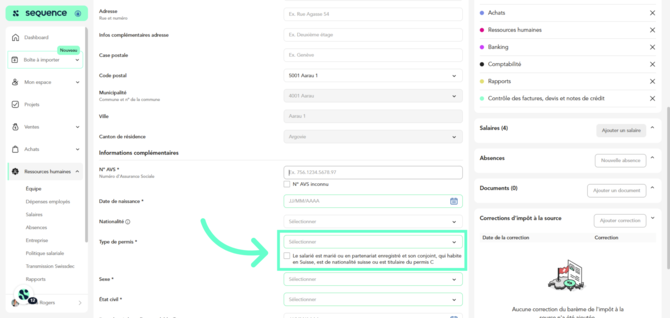
16\. Select the gender from the **Gender** dropdown list.
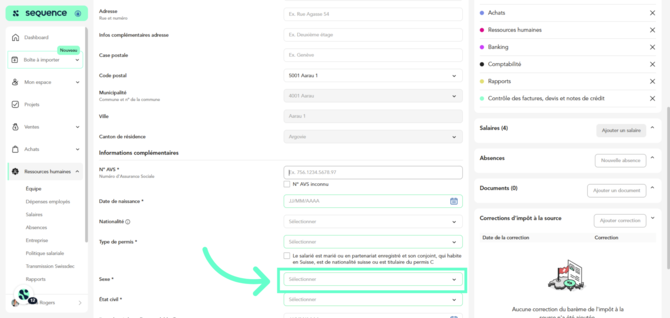
17\. Specify the **marital status** and, if applicable, the **date from which this status has been valid**.
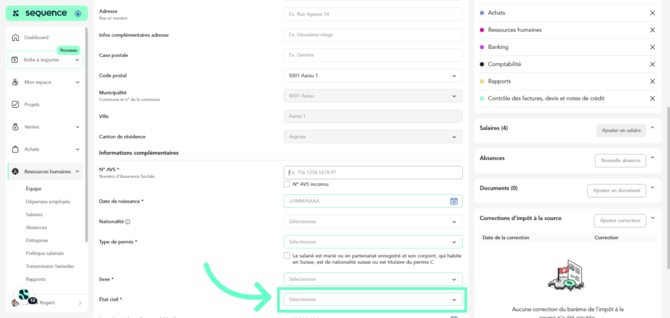
18\. Indicate the **number of children**, if the employee has any.
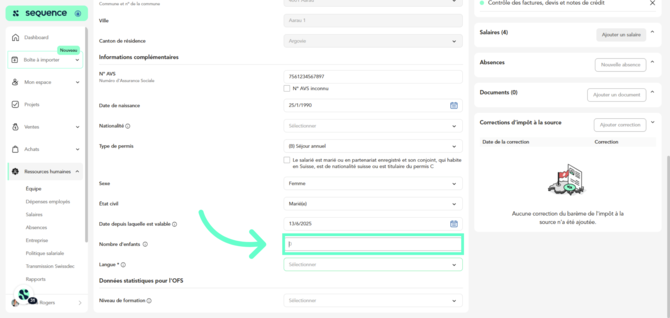
19\. Select the **language** spoken by the employee.
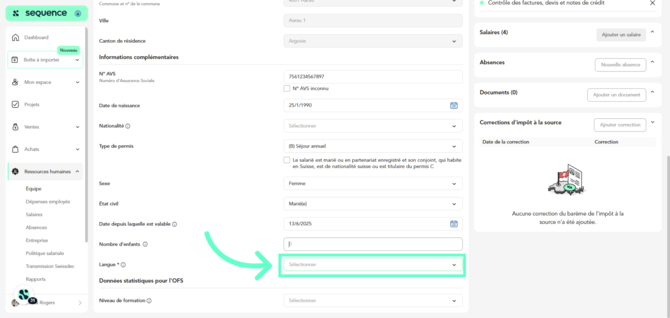
20\. Choose the **level of education** from the list of options.
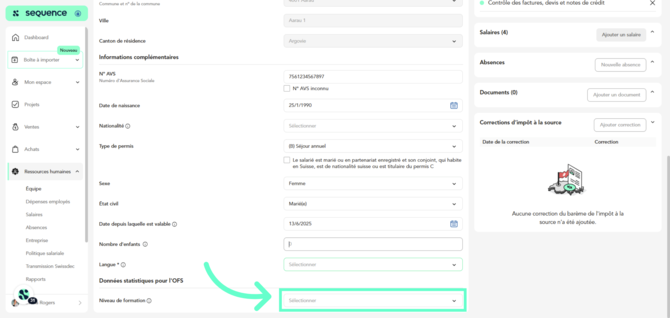
21\. Go to the **Contract** section.
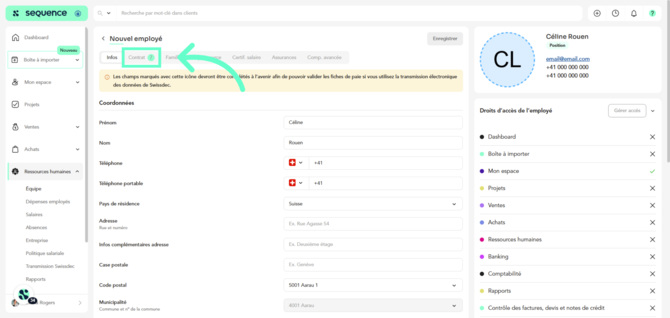
22\. Enter the **Job title**.
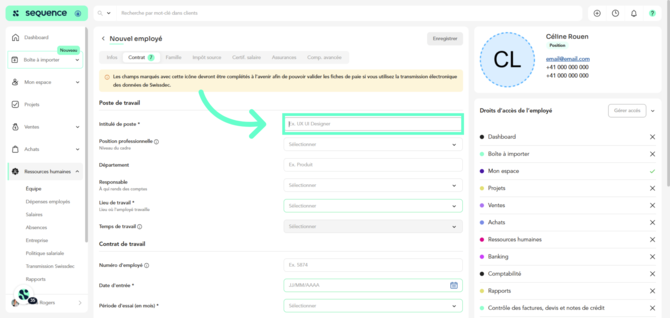
23\. Select the management level under **Professional Position**.
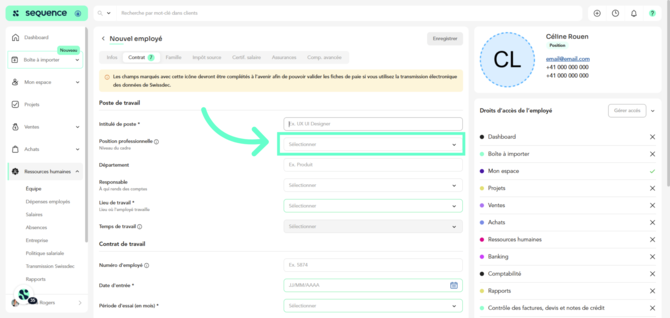
24\. Specify the **department**, for example Administration.
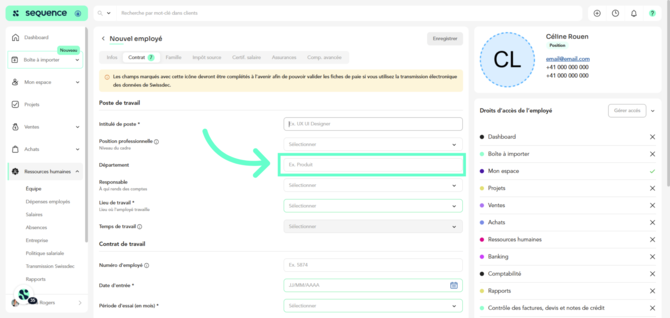
25\. Select the **person responsible** for this employee.
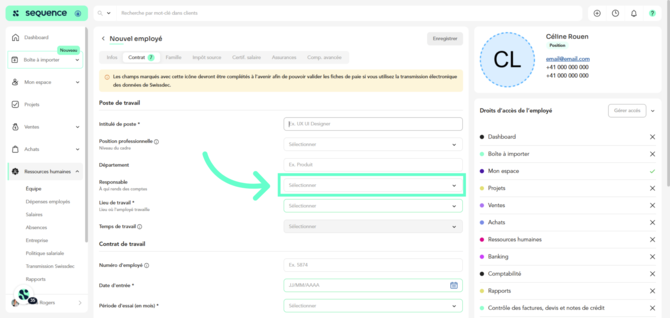
26\. Select the employee’s **workplace** to automatically apply cantonal deductions and allowances. You can create new workplaces from **Human Resources \> Company \> Workplaces**.
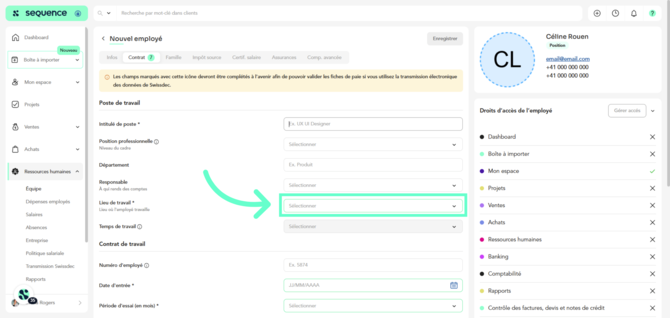
27\. Select the **working time**. You can create new working time options from **Human Resources \> Company \> Workplaces**.
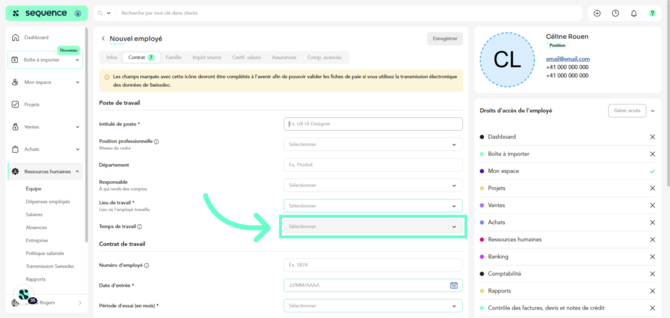
28\. Enter the **employee’s internal number**.
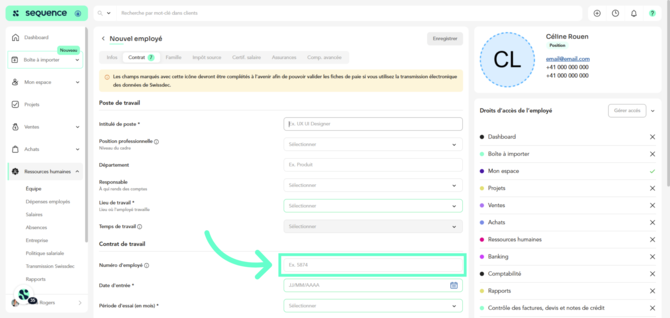
29\. Select the **start date**.
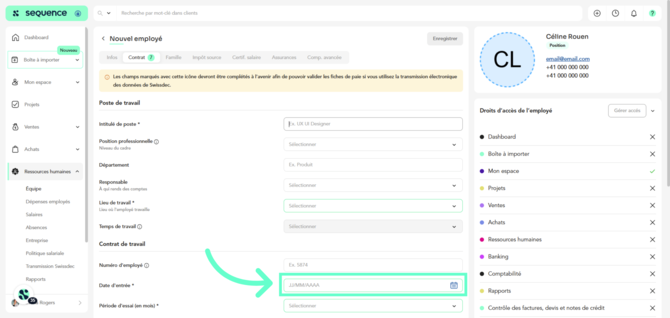
30\. Select the **probation period in months**.
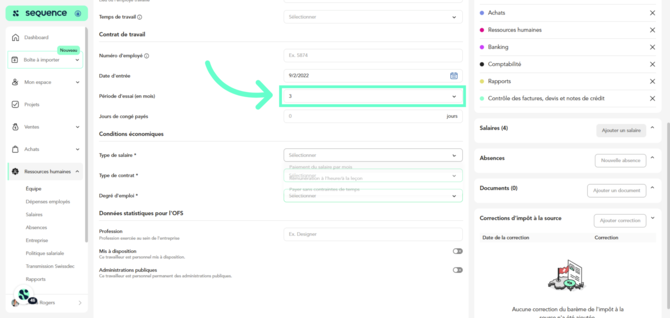
31\. Specify the **number of paid leave days**.
**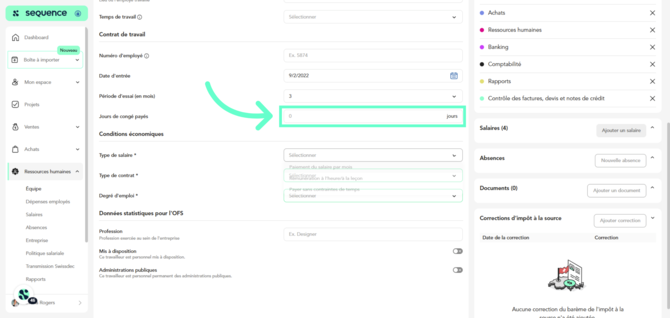**
32\. Select the **salary type**.
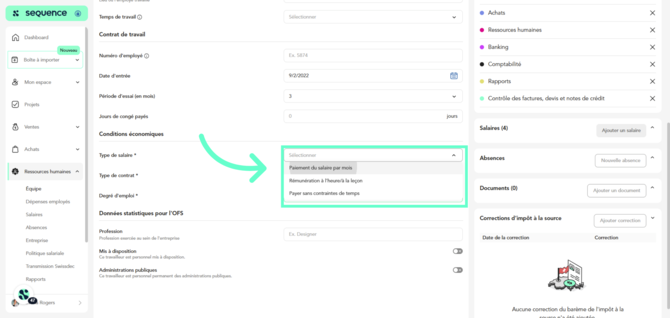
33\. Select the **contract type**.
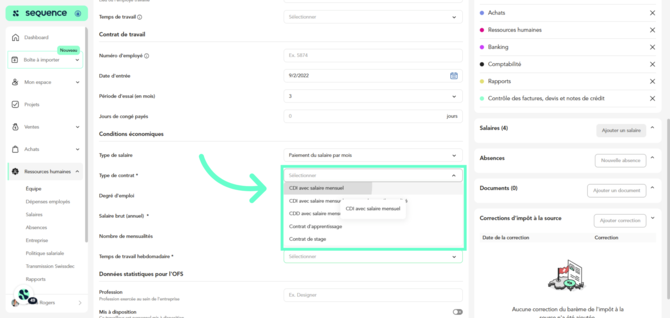
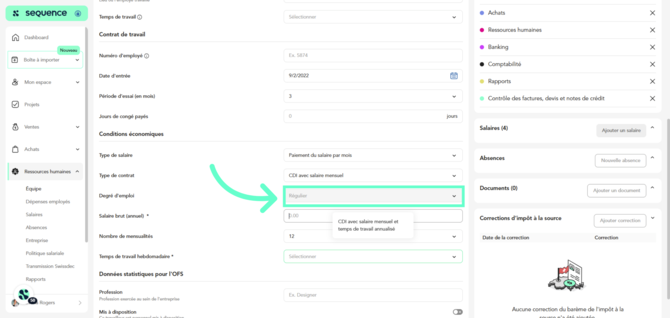
34\. Specify whether the **employment rate** is regular or irregular. This field may be filled in automatically based on previous selections.
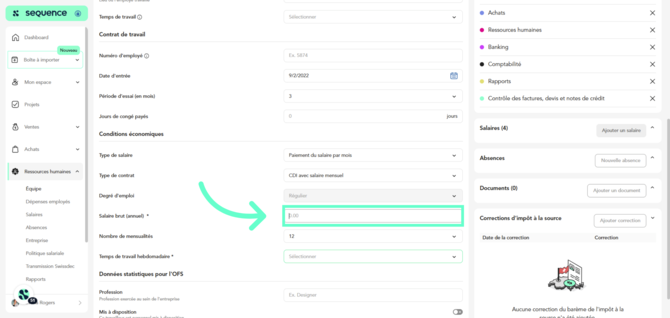
35\. Enter the **gross annual salary**. If the salary changes in the future, go to the **Contract** section to enter the new amount.
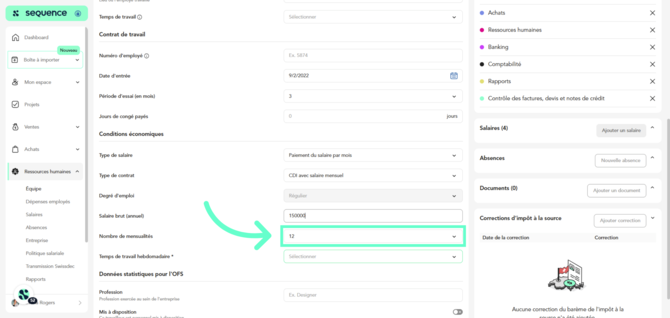
36\. Specify the **number of salary payments** per year. If greater than 12, indicate how they are distributed.
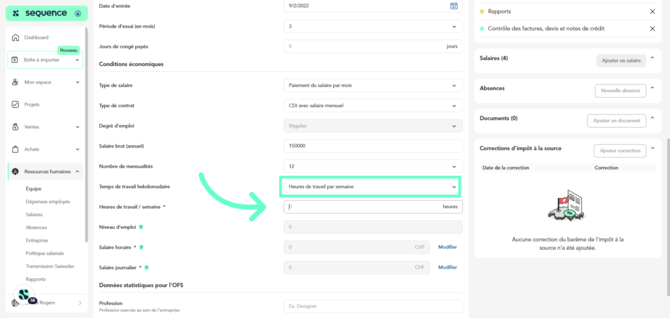
37\. Select the **weekly working time**.
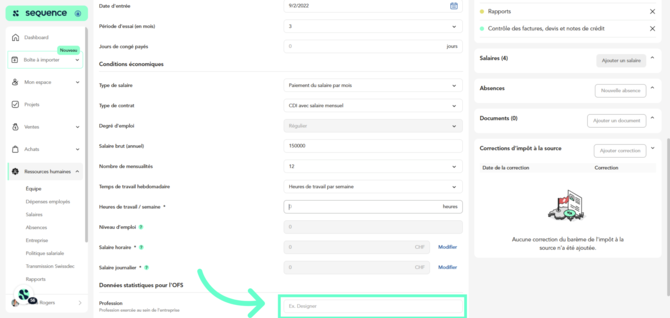
38\. For **statistical purposes**, specify the profession performed by the employee within the company.
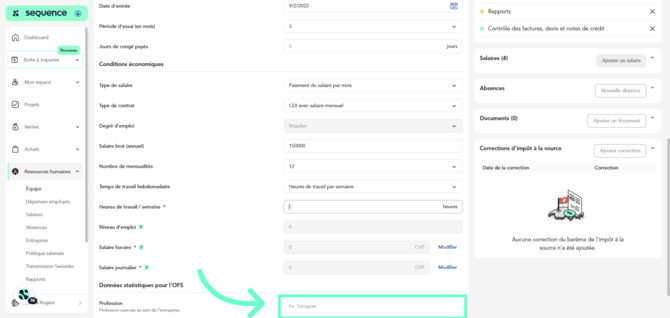
39\. If applicable, select whether the worker is **temporary staff made available to public administrations or permanent staff of public administrations**.
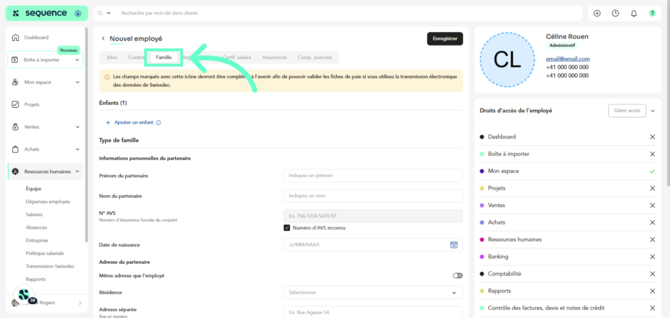
40\. If you indicated that the employee has a partner and children, the **Family** section will appear. Complete the required information.
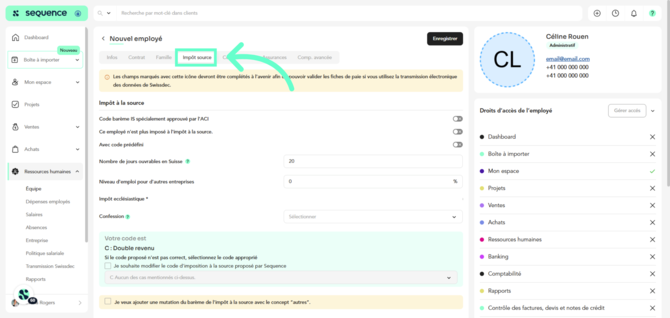
41\. Go to the **Withholding Tax** section and verify the accuracy of the prefilled data as well as the tax code.
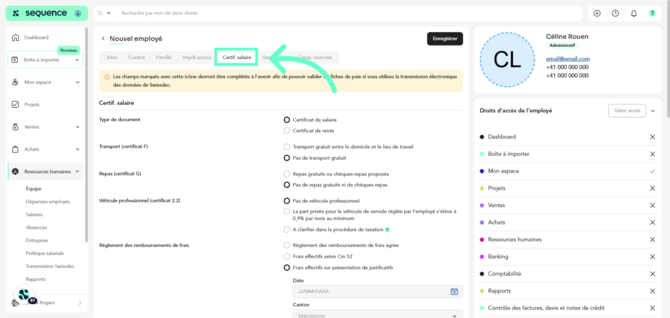
42\. Go to the **Salary Certificate** section and confirm that the selected data is correct for this employee.
43\. Go to the **Insurance** section and select the appropriate group and solution for each of the employee’s insurances (AVS, CAF, LAA, LAAC, IJM, CCT, and LPP). Make sure you have configured your salary policy under **HR \> Salary Policy**.
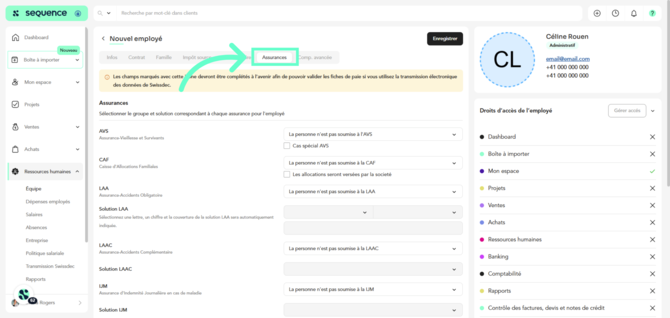
Regarding the LAA solution, you must assign the employee to a risk class of your accident insurance. Contributions to occupational accident insurance are always paid by the employer. Contributions to non-occupational accident insurance are usually paid by the employee, although there may be exceptions. The code integrated into the insurance definition determines how the employee contributes to the non-occupational portion of mandatory accident insurance.
The code consists of a letter and a number. The letter corresponds to the risk class. The number indicates how the contribution to non-occupational accident insurance is deducted:
- **0** – not insured under mandatory LAA
- **1** – insured for occupational accidents, with deduction for non-occupational accidents (paid by the employee)
- **2** – insured for occupational and non-occupational accidents, with no deduction for non-occupational accidents (paid by a third party)
- **3** – insured for occupational accidents only, with no deduction for non-occupational accidents (employee with a weekly working time of less than 8 hours)
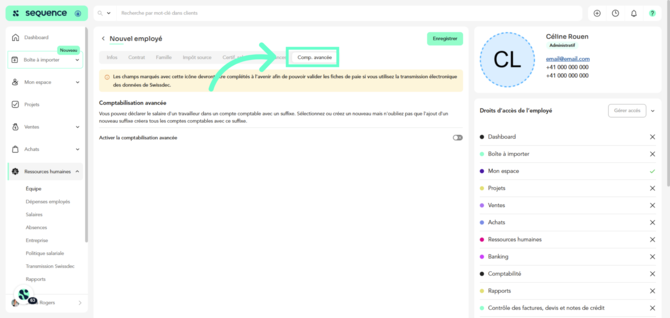
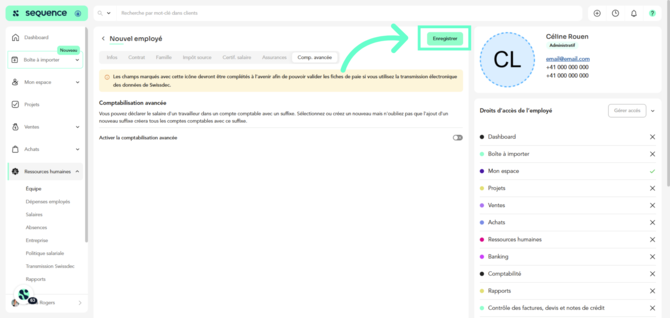
44. From the **Advanced Accounting** tab, you can assign the employee’s salary to an accounting account with a suffix.
You can use suffixes to structure accounts and facilitate detailed transaction analysis. A suffix is an additional identifier that can be added to an account to allow finer classification of transactions.
45\. Click **Save** to save the entered data.
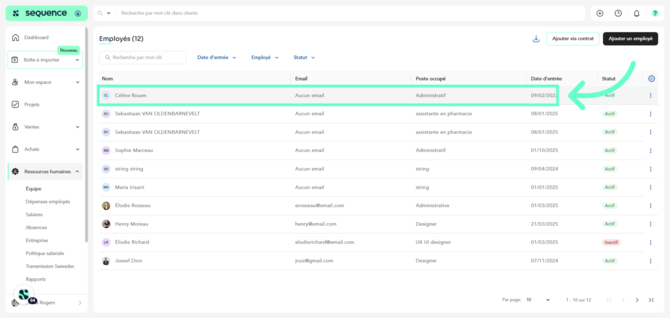
46\. Once the new employee has been created and saved, you can access them again from the employee list **to assign access rights to Sequence**. Click on the newly created employee.
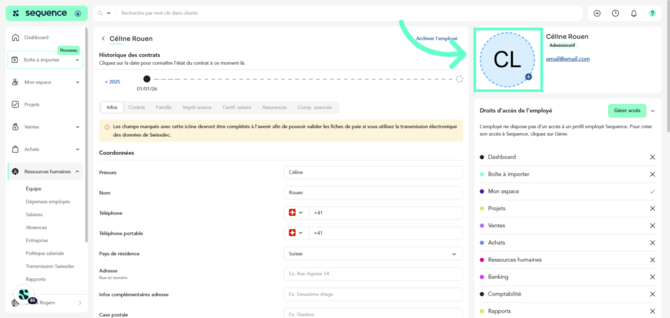
47\. You can then **upload the employee’s photo**.
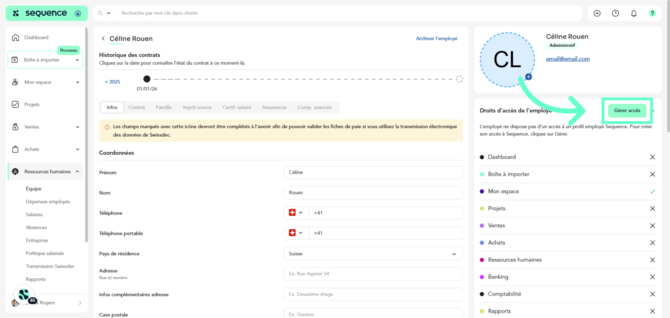
48\. To grant the employee access to Sequence, click **Manage access**.
49\. Enter the **employee’s email address and re-enter it**.

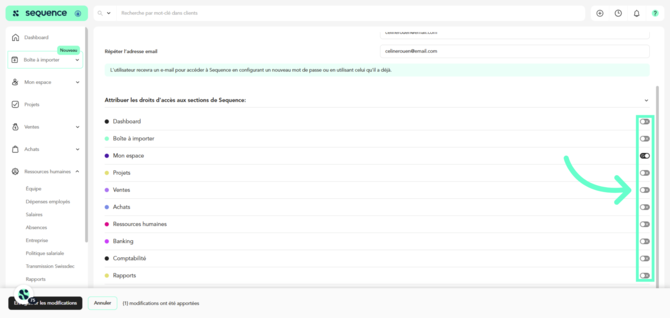
50\. You can also specify which **sections of Sequence the employee should have access to**.
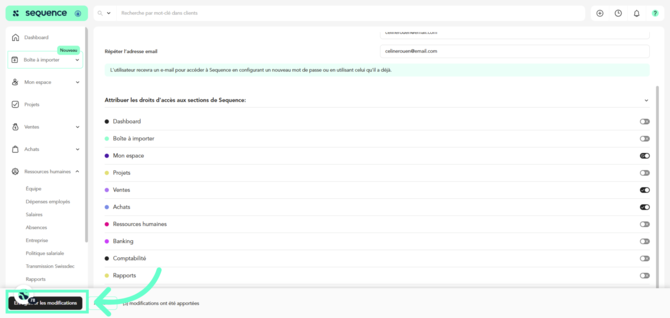
51\. Finally, click **Save changes**.
- [Getting Started](http://www.wearesequence.ai/en/knowledge/getting-started?hsLang=en)
- [FAQ](http://www.wearesequence.ai/en/knowledge/faq?hsLang=en)
- [Top menu](http://www.wearesequence.ai/en/knowledge/top-menu?hsLang=en)
- [My profile](http://www.wearesequence.ai/en/knowledge/my-profile?hsLang=en)
- [My company](http://www.wearesequence.ai/en/knowledge/my-company?hsLang=en#main-content)
- [TVA](http://www.wearesequence.ai/en/knowledge/my-company?hsLang=en#tva)
- [Users](http://www.wearesequence.ai/en/knowledge/my-company?hsLang=en#users)
- [Import box](http://www.wearesequence.ai/en/knowledge/import-box?hsLang=en)
- [My space](http://www.wearesequence.ai/en/knowledge/my-space?hsLang=en#main-content)
- [Dashboard](http://www.wearesequence.ai/en/knowledge/my-space?hsLang=en#dashboard)
- [Tasks](http://www.wearesequence.ai/en/knowledge/my-space?hsLang=en#tasks)
- [Timesheet](http://www.wearesequence.ai/en/knowledge/my-space?hsLang=en#timesheet)
- [Expenses](http://www.wearesequence.ai/en/knowledge/my-space?hsLang=en#expenses)
- [My absences](http://www.wearesequence.ai/en/knowledge/my-space?hsLang=en#my-absences)
- [Salary certificates](http://www.wearesequence.ai/en/knowledge/my-space?hsLang=en#salary-certificates)
- [Projects](http://www.wearesequence.ai/en/knowledge/projects?hsLang=en)
- [Sales](http://www.wearesequence.ai/en/knowledge/sales?hsLang=en#main-content)
- [Customers](http://www.wearesequence.ai/en/knowledge/sales?hsLang=en#customers)
- [Quotes](http://www.wearesequence.ai/en/knowledge/sales?hsLang=en#quotes)
- [Invoices](http://www.wearesequence.ai/en/knowledge/sales?hsLang=en#invoices)
- [Credit notes](http://www.wearesequence.ai/en/knowledge/sales?hsLang=en#credit-notes)
- [Products and services](http://www.wearesequence.ai/en/knowledge/sales?hsLang=en#products-and-services)
- [Payments](http://www.wearesequence.ai/en/knowledge/sales?hsLang=en#payments)
- [Purchases](http://www.wearesequence.ai/en/knowledge/purchases?hsLang=en#main-content)
- [Suppliers](http://www.wearesequence.ai/en/knowledge/purchases?hsLang=en#suppliers)
- [Quotes](http://www.wearesequence.ai/en/knowledge/purchases?hsLang=en#quotes)
- [Invoices](http://www.wearesequence.ai/en/knowledge/purchases?hsLang=en#invoices)
- [Credit Notes](http://www.wearesequence.ai/en/knowledge/purchases?hsLang=en#credit-notes)
- [Payments](http://www.wearesequence.ai/en/knowledge/purchases?hsLang=en#payments)
- [Human Resources](http://www.wearesequence.ai/en/knowledge/human-resources?hsLang=en#main-content)
- [Employees](http://www.wearesequence.ai/en/knowledge/human-resources?hsLang=en#employees)
- [Employee expenses](http://www.wearesequence.ai/en/knowledge/human-resources?hsLang=en#employee-expenses)
- [Salaries](http://www.wearesequence.ai/en/knowledge/human-resources?hsLang=en#salaries)
- [Absences](http://www.wearesequence.ai/en/knowledge/human-resources?hsLang=en#absences)
- [Enterprise](http://www.wearesequence.ai/en/knowledge/human-resources?hsLang=en#enterprise)
- [Salary Policy](http://www.wearesequence.ai/en/knowledge/human-resources?hsLang=en#salary-policy)
- [Swissdec Transmission](http://www.wearesequence.ai/en/knowledge/human-resources?hsLang=en#swissdec-transmission)
- [Reports](http://www.wearesequence.ai/en/knowledge/human-resources?hsLang=en#reports)
- [Banking](http://www.wearesequence.ai/en/knowledge/banking?hsLang=en#main-content)
- [Bank accounts](http://www.wearesequence.ai/en/knowledge/banking?hsLang=en#bank-accounts)
- [Bank imports](http://www.wearesequence.ai/en/knowledge/banking?hsLang=en#bank-imports)
- [Bank reconciliation](http://www.wearesequence.ai/en/knowledge/banking?hsLang=en#bank-reconciliation)
- [Payment orders](http://www.wearesequence.ai/en/knowledge/banking?hsLang=en#payment-orders)
- [Accounting](http://www.wearesequence.ai/en/knowledge/accounting?hsLang=en#main-content)
- [Chart of Accounts](http://www.wearesequence.ai/en/knowledge/accounting?hsLang=en#chart-of-accounts)
- [General Ledger](http://www.wearesequence.ai/en/knowledge/accounting?hsLang=en#general-ledger)
- [Accounting period](http://www.wearesequence.ai/en/knowledge/accounting?hsLang=en#accounting-period)
- [Analytical accounting](http://www.wearesequence.ai/en/knowledge/accounting?hsLang=en#analytical-accounting)
- [Accounting Control](http://www.wearesequence.ai/en/knowledge/accounting?hsLang=en#accounting-control)
- [Reports](http://www.wearesequence.ai/en/knowledge/reports?hsLang=en)
- [Account management](http://www.wearesequence.ai/en/knowledge/account-management?hsLang=en)
- [Fiduciary account](http://www.wearesequence.ai/en/knowledge/fiduciary-account?hsLang=en#main-content)
- [Client accounts](http://www.wearesequence.ai/en/knowledge/fiduciary-account?hsLang=en#client-accounts)
[](https://sequence-erp.com?hsLang=en)
[mailto:email@email.com](mailto:email@email.com)
Copyright © 2026, Sequence